


How to Use Google’s Most Powerful AI Model: For Beginners & Power Users
Gemini 3.0 Pro is not just another chatbot upgrade.
It represents a structural shift in how AI is used for real work:
long-context reasoning, multi-document synthesis, agentic workflows, and professional-grade analysis.
If you’ve used ChatGPT, Claude, or earlier Gemini models, Gemini 3.0 Pro feels less like a chat assistant and more like a junior analyst + systems thinker that can operate across massive inputs.
This guide is not a feature list.
This is a practical operating manual for using Gemini 3.0 Pro as a real productivity, reasoning, and workflow engine.
You’ll learn:
- What Gemini 3.0 Pro is actually optimized for
- How its long-context and reasoning systems really work
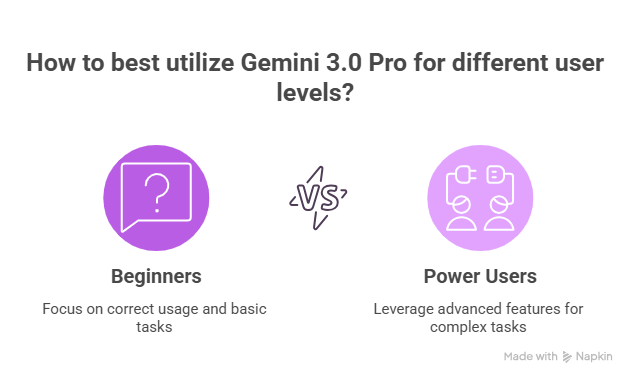
- How beginners should use it correctly
- How power users use it for research, coding, and workflows
- Production-grade prompt structures
Where Gemini clearly wins, and where it doesn’t
What Is Gemini 3.0 Pro (And Why It Matters)
Gemini 3.0 Pro is Google DeepMind’s flagship multimodal reasoning model.
It is designed to compete directly with frontier models like GPT-5 and Claude Opus, but with a distinct emphasis on:
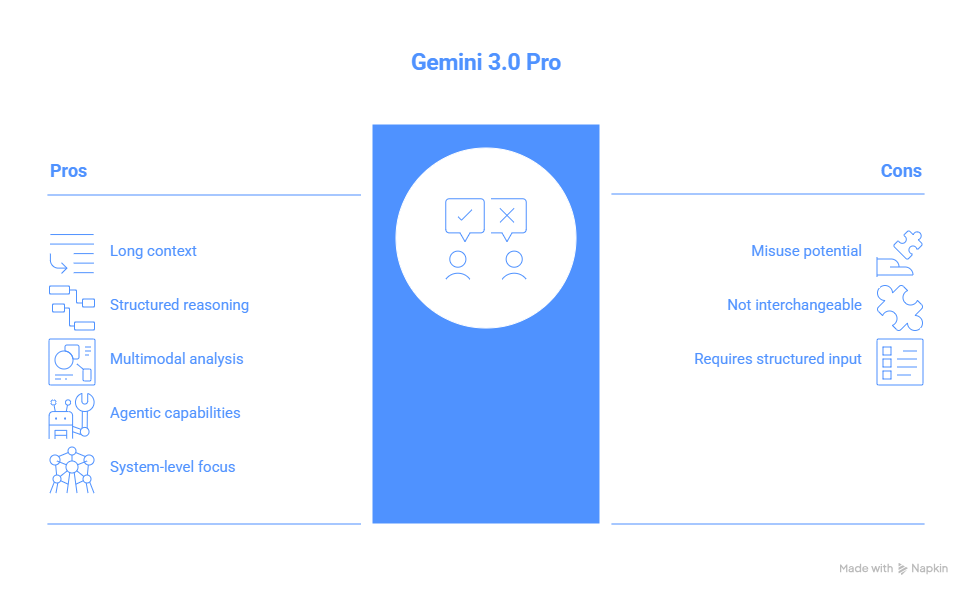
- Long-context understanding
- Structured reasoning
- Multimodal document analysis
- Agentic and workflow-style use cases
From official benchmarks and independent testing:
- 1M-token input context (API / Studio tiers)
- Top-tier reasoning on professional exams
- Strong multimodal understanding (PDFs, images, tables, charts, videos
- Advanced agentic coding and tool use
- High performance on SWE-Bench, GPQA, MMMU, ARC-AGI
What this tells you:
Gemini 3.0 Pro is optimized for thinking across large systems, not just generating clever replies.
If you treat it like a faster Google search, you will underuse it.
If you treat it like a junior analyst, architect, or researcher, it becomes extremely powerful.
The Core Difference: Gemini Is Built for Systems, Not Just Conversations
Most people treat all AI models as interchangeable.
They are not.
Gemini 3.0 Pro is architected for system-level work, meaning:
- It handles very large inputs
- It reasons across multiple documents
- It is comfortable with constraints, tradeoffs, and multi-step logic
- It works well when you give it structured roles and objectives
This makes it especially strong for:
- Research synthesis
- Policy and legal analysis
- Large codebase understanding
- Long-form strategy and planning
- Multi-document comparisons
Architecture and system design
1. Long Context (Massive Inputs, Real Use Cases)
Gemini 3.0 Pro supports extremely large context windows (up to ~1 million tokens in API and Studio environments).
What this means in practice:
You can give it:
- Entire research papers
- Full code repositories
- Long transcripts
- Multiple PDFs
- Large project specs
- Cross-team documentation
And ask it to reason across all of it at once.
What this is actually best for:
- Research synthesis
- Large codebase onboarding
- Policy and compliance reviews
- Long-form content production
- Multi-source analysis
Important reality (Editor’s note):
In consumer web apps, active context is often much smaller than the theoretical 1M token limit. Many power users report ~32k–64k active memory in practice.
Translation:
For true long-context work, use:
- Google AI Studio
- Vertex AI
- Gemini API
- Structured chunking + summaries
Don’t rely on one endless chat thread.
2. Deep Reasoning & Structured Thinking
Gemini 3.0 Pro is tuned for step-by-step reasoning and constraint-heavy tasks.
It performs especially well on:
- Multi-step logic
- Financial and business modeling
- Technical architecture
- Planning with tradeoffs
- Debugging with hypotheses
This makes it ideal for:
- Product strategy
- System design
- Research planning
- Technical debugging
- Complex decision analysis
Pro Tip (Most users miss this):
Gemini performs best when you explicitly ask it to reason.
Don’t assume it will think deeply by default.
3. Multimodal + Document Intelligence (Where Gemini Often Wins)
Gemini is particularly strong at understanding:
- PDFs
- Screenshots
- Tables and charts
- Scanned documents
- Mixed text + visual inputs
This makes it powerful for:
- Financial reports
- Academic papers
- UX screenshots
- Legal documents
- Technical scans
- Compliance reviews
You can upload messy documents and ask Gemini to:
- Extract structure
- Summarize key points
- Find inconsistencies
- Convert into clean outputs
This is one of Gemini’s most defensible advantages.
How Beginners Should Use Gemini 3.0 Pro (Correctly)
Most beginners use Gemini like a smarter Google.
That’s a mistake.
Use it as a thinking partner.
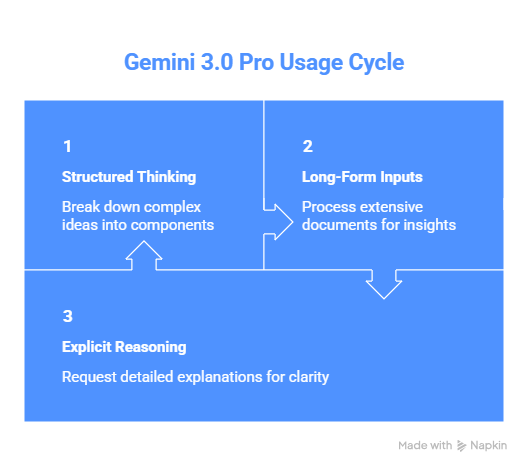
Step 1 - Use It for Structured Thinking (Not Just Answers)
Instead of:
Explain X
Use:
- Break X into clear components and explain how they connect
- Create a mental model for understanding X
- List assumptions, constraints, and tradeoffs in X
Gemini excels at structuring complexity.
Step 2 - Use It for Long-Form Inputs
Paste full material:
- Full article
- Full business plan
- Full code file
- Long transcript
- Research notes
Then ask:
- Summarize key arguments and risks
- Find contradictions or gaps
- Create an executive summary
This is where Gemini’s design really shines.
Step 3 - Explicitly Request Reasoning
Use phrases like:
- Walk through your reasoning step by step
- Show your assumptions
- Evaluate multiple approaches before answering
Gemini responds much better when you give it permission to think.
Research Power Moves (Where Gemini Feels Like a Junior Analyst)
High-quality research prompt:
You are a research analyst.
Analyze the following sources and produce a structured summary with:
- Key insights
- Areas of agreement
- Disagreements
- Open questions
- Recommended next research steps
Then paste:
- Multiple articles
- PDFs
- Notes
- Transcripts
This turns Gemini into a real synthesis engine.
Using Gemini 3.0 Pro for Coding (Where It’s Strong)
Gemini excels at:
- Explaining large codebases
- Architecture reasoning
- Refactoring suggestions
- Debugging with context
1. Large Codebase Understanding
Paste multiple files and ask:
- Explain how these components interact
- Identify main data flows
- Summarize architecture in plain English
This is one of Gemini’s strongest developer use cases.
2. Refactoring & Design
Use prompts like:
- Propose a cleaner architecture
- Refactor this for maintainability
- Suggest performance improvements
Gemini is particularly good at high-level design thinking.
3. Debugging With Context
Paste:
- Error logs
- Code
- Environment details
Ask:
- List likely causes ranked by probability
- Propose a debugging plan
- Identify hidden assumptions
This structured debugging is a Gemini strength.
Agentic & Workflow Use (Advanced)
Gemini is increasingly positioned as a workflow engine, not just a chat model.
In AI Studio and related tools, Gemini can:
- Run multi-step tasks
- Maintain structured memory
- Perform repeated operations
- Chain tool usage
This makes it useful for:
- Research automation
- Content pipelines
- Email triage
- Document processing
- Report generation
- Internal tooling
This is where Gemini moves from chatbot → system component.
Production Prompting Framework (Use This)
Use this structure for best results:
1. Role
You are a senior product manager/ researcher/ software architect.
2. Context
Here is the full background:
(Paste documents, notes, data)
3. Task
Your task is to…
4. Constraints
Optimize for accuracy, clarity, and step-by-step reasoning.
5. Output Format
Return a structured outline / table / checklist.
This dramatically improves output quality.
Where Gemini 3.0 Pro Clearly Wins
From benchmarks and real-world use:
- Long-context reasoning
- Multi-document analysis
- Structured thinking
- Professional exam-level reasoning
- Multimodal document understanding
- Architecture and systems analysis
It often feels more like a consultant than a chatbot.
Where Gemini 3.0 Pro Is Weaker (Be Honest)
Gemini is not perfect:
- Can be conservative
- Can be verbose
- Less personality for creative writing
- Long-context reliability varies by surface
- Can over-structure simple tasks
Use Gemini when complexity is high.
Use lighter models when speed or creativity matters more.
Who Gemini 3.0 Pro Is Best For
Gemini 3.0 Pro is ideal for:
- Product managers
- Founders
- Researchers
- Analysts
- Developers
- Consultants
- Students doing deep work
- Knowledge workers with long documents
If your work involves thinking across large amounts of information, Gemini is one of the best tools available.
Final Take
Gemini 3.0 Pro is not just another AI model.
It is a thinking engine for:
- Long-context work
- Deep reasoning
- Document-heavy workflows
- Structured decision-making
Most people underuse it because they treat it like ChatGPT.
If you treat Gemini like a junior analyst, architect, or researcher, it becomes dramatically more powerful.


.png&w=1200&q=75)