


How AI Is Becoming the Command Center of the Digital Workplace
For the last few years, AI at work has mostly meant one thing:
a chat window.
You ask a question.
You get an answer.
You copy-paste it into Slack, Notion, a doc, or a spreadsheet.
Helpful? Yes.
Transformational? Not really.
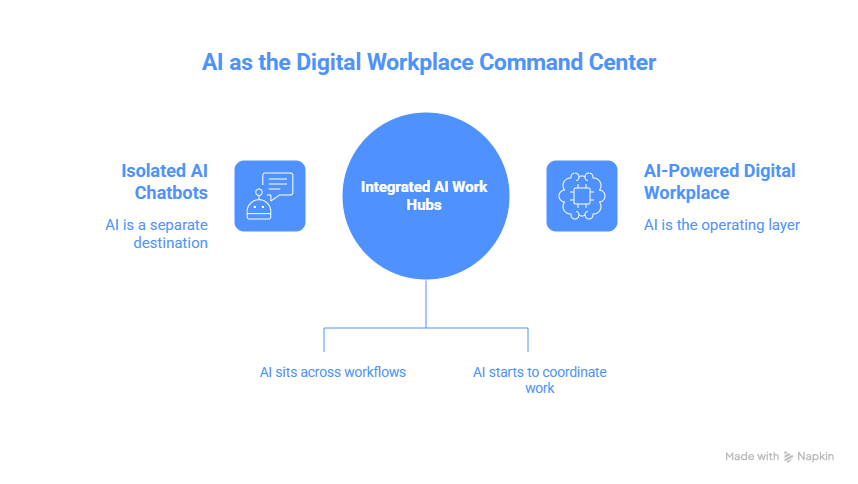
What’s quietly changing in 2025–2026 is where AI lives and how it participates in work. We’re moving away from AI as a separate destination and toward AI as the operating layer that sits across tools, workflows, and decisions.
In other words: AI is no longer just responding to work.
It’s starting to coordinate it.
This shift, from chatbots to integrated work hubs, is one of the most important, and least fully understood, developments in enterprise AI right now.
Let’s unpack what’s actually happening, why it matters, and what it changes for teams.
The Problem With “Chat-Centric” AI
Chatbots solved an access problem.
They made powerful models easy to use. Anyone could ask for help, generate content, or explore ideas without knowing machine learning or code.
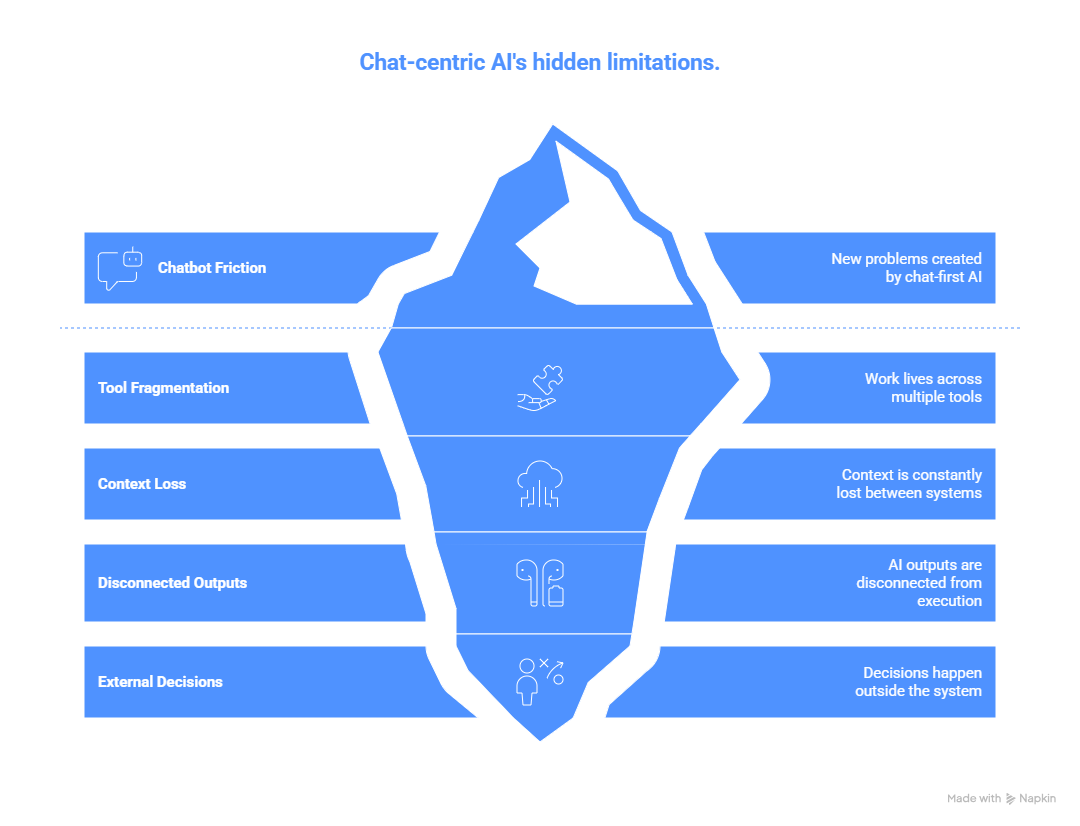
But chat-first AI also created new friction:
- Work still lives across tools (email, docs, project boards, design tools)
- Context is constantly lost between systems
- AI outputs are disconnected from execution
- Decisions happen outside the system that generated insight
You might get a great answer from an AI, and then still struggle to:
- turn it into a task
- assign ownership
- update a roadmap
- reflect it in a design
- track follow-through
This gap is exactly where integrated AI work hubs are emerging.
What “Integrated Work Hub” Actually Means
An integrated AI work hub is not just a chatbot with plugins.
It’s an AI system that:
- has access to your tools
- understands the state of your work
- can act within workflows, not just comment on them
- maintains continuity across tasks, time, and teams
Instead of asking:
“Can you summarize this document?”
You’re moving toward:
“Given our roadmap, last sprint outcomes, and customer feedback, what should we prioritize next, and update the board draft accordingly?”
The AI isn’t just answering.
It’s operating inside the system of work.
What Changed Technically (Without the Jargon)
This shift is enabled by a few real developments, not magic.
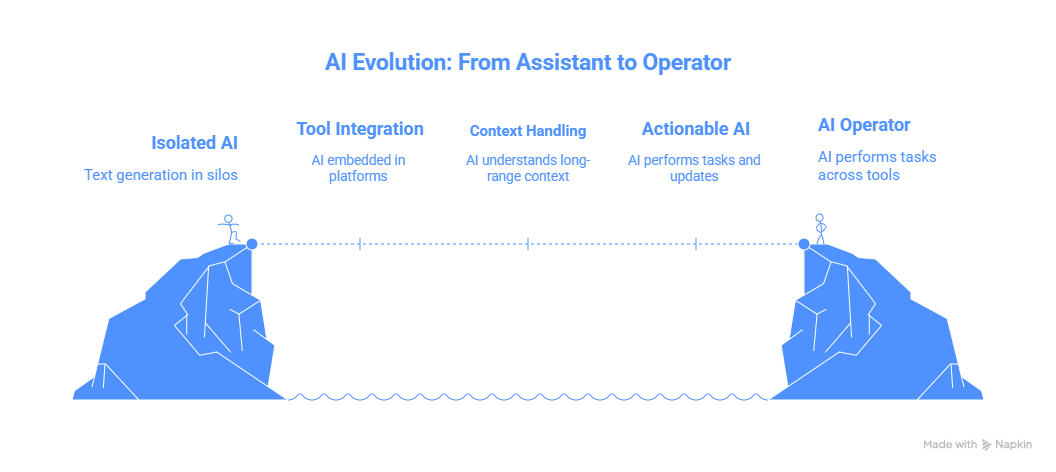
1. Tool-native AI integration
Modern AI systems are being embedded directly into tools like:
- collaboration platforms
- design software
- project management systems
- internal knowledge bases
This allows AI to read and write across systems, not just generate text in isolation.
2. Better context handling
Current models are far better at:
- maintaining long-range context
- reasoning over multiple artifacts
- understanding intent beyond a single prompt
That makes them suitable for multi-step, cross-tool workflows.
3. Action, not just generation
AI is increasingly allowed to:
- create tasks
- update documents
- trigger workflows
- suggest changes directly in tools
This is the line between “assistant” and “operator.”
Real-World Examples of the Shift
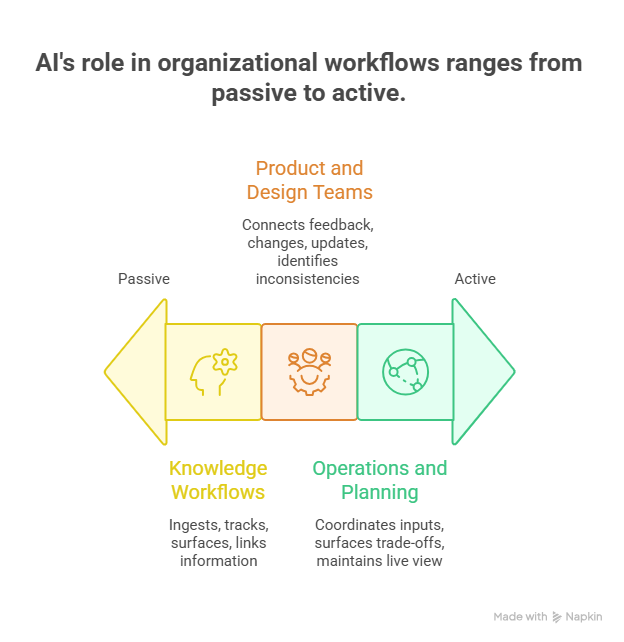
Example 1: Knowledge Workflows
In many organizations, AI is now used to:
- ingest meeting notes
- track decisions over time
- surface unresolved questions
- link decisions to outcomes weeks later
This turns AI into a memory layer for the organization, not just a note-taker.
Example 2: Product and Design Teams
Instead of AI generating isolated specs or mock copy, teams are using it to:
- connect user feedback → design changes → roadmap updates
- identify inconsistencies between PRDs and actual builds
- flag decisions that lack validation
The AI sits across the workflow, not at one step of it.
Example 3: Operations and Planning
AI hubs are increasingly used to:
- coordinate inputs from finance, ops, and product
- surface trade-offs explicitly
- maintain a live view of constraints and dependencies
This reduces the cognitive load on humans who previously had to manually connect everything.
Why This Is a Bigger Shift Than It Looks
This isn’t just about productivity.
It changes how work is structured.
1. Fewer handoffs, more continuity
Work doesn’t “reset” every time you switch tools. Context carries forward.
2. Decisions become traceable
When AI operates across systems, decisions can be linked to:
- inputs
- assumptions
- outcomes
This is huge for accountability and learning.
3. AI moves from helper to coordinator
The AI isn’t doing your job for you.
It’s helping the system work as a system.
That’s a very different role.
The Risks Nobody Talks About Enough
This shift also introduces real risks, especially if teams move too fast.
Over-centralization
If AI becomes the coordination layer, poorly designed systems can:
- hide complexity
- obscure ownership
- reduce healthy friction and debate
Silent failure
Integrated AI can fail quietly:
- wrong assumptions
- outdated context
- subtle bias propagation
The more embedded it is, the harder this is to detect.
Skill atrophy
When AI handles coordination, humans may lose:
- situational awareness
- judgment built through synthesis
- comfort with ambiguity
This doesn’t mean “don’t use it.”
It means design for shared cognition, not replacement.
What Leaders Should Be Asking Right Now
Instead of:
“Which AI tool should we adopt?”
Better questions are:
- Where does work actually break today?
- Where is context lost between systems?
- Which decisions suffer most from fragmentation?
- What should never be automated or abstracted away?
Integrated AI hubs are powerful, but only when aligned with how work really happens.
The Bigger Picture
We’re watching AI move through three phases:
- Answering — chatbots and copilots
- Assisting — task-level automation
- Coordinating — system-level intelligence
Phase three is where real organizational leverage lives.
It’s also where design, governance, and judgment matter most.
The future of workplace AI isn’t about better prompts or smarter bots.
It’s about building AI systems that understand work as a connected whole, and helping humans stay meaningfully in control of it.
If chatbots helped us think faster, integrated AI work hubs will determine whether we think better.


.png&w=1200&q=75)