You know that feeling when you're copy-pasting API code from your last project... again?
Yeah, that stops today.
n8n lets you build those integrations with drag-and-drop nodes instead of writing boilerplate API calls. No more wrestling with OAuth flows, rate limits, or webhook parsing - just connect the boxes and watch it work.
Here's what you'll learn to automate in the next 20 minutes:
- Connect any API to any other API (without writing a single HTTP request).
- Set up triggers that actually work reliably.
- Handle errors like a pro.
- Deploy workflows that won't break at 3 AM.
Let's dive in.
1. Understanding n8n Workflows
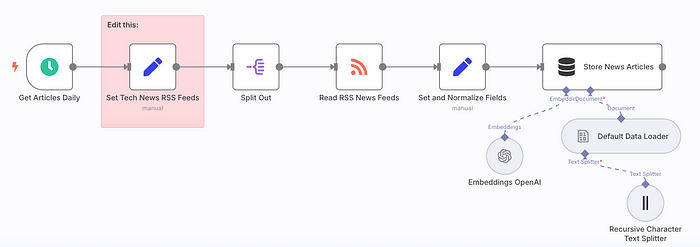
Picture this: instead of writing complex scripts from scratch, you get to work with a visual canvas where automation flows like a well-orchestrated symphony. That's essentially what an n8n workflow represents - it's your personal automation assembly line made up of individual components called nodes.
Each node handles one specific job in your automation chain. Maybe one node pulls fresh data from your favorite API, another transforms that messy JSON into something clean and usable, while a third sends out a perfectly formatted email or updates your database.
String these nodes together, and you've got yourself a powerful automation that runs exactly when and how you want it to.
Reclaim Your Precious Hours: Say goodbye to mind-numbing tasks like manual data entry, generating the same reports week after week, or babysitting build processes. Let automation handle the boring stuff while you focus on what you love - solving interesting problems.
Supercharge Your Productivity: Those complex, multi-step processes that usually require you to jump between different tools or write custom integration scripts? n8n can orchestrate all of that seamlessly, turning hours of work into minutes.
Make Everything Talk to Each Other: Your daily toolkit probably includes a mix of APIs, databases, cloud platforms, CRMs, and dozens of other services. n8n acts like a universal translator, connecting all these pieces without forcing you to write tedious glue code.
2. Two Paths to Get You Started
When you're ready to create your first workflow, n8n offers you a couple of approaches:
The Blank Canvas Route: Perfect when you know exactly what you want to build. You get complete creative control, dragging nodes onto your workspace and connecting them however makes sense for your specific use case.
The Template Fast Track: Why reinvent the wheel? Jump-start your automation journey with battle-tested workflows designed for common scenarios. This approach is gold for understanding how different components work together and picking up proven techniques along the way.
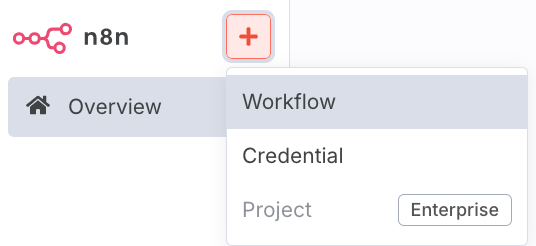
Starting a new workflow in n8n: Choose between a blank canvas ↑ or a pre-built template ↓.
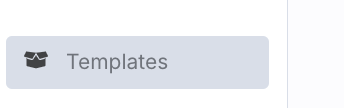
Developer Tip: Pro tip for newcomers: Start by browsing through n8n's template collection - it's surprisingly comprehensive. Check out workflows like "Sync Slack conversations to Google Sheets," "Track GitHub repository stars and notify your Discord server," or "Handle email responses automatically."
These examples reveal the building blocks you'll use most often and show you patterns that actually work in the real world.
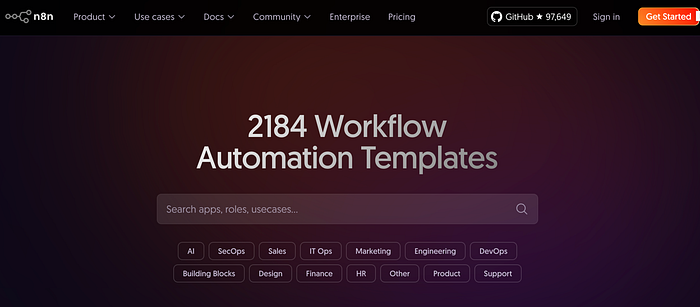
Exploring the n8n template library to find pre-built automation examples.
3. Breaking Down the Workflow Blueprint
Every n8n workflow follows a similar structure with these essential pieces:
- The Trigger Node: Think of this as the event that kicks everything into motion. It could be a Webhook waiting for an HTTP request from your app, a Cron scheduler running at specific times, or even a Manual trigger that you activate yourself when needed.
- Action Nodes: These nodes do the actual work in your automation. Each one handles a specific task using data passed from the previous step. You'll find yourself using HTTP Request nodes for API calls, Database nodes for data operations, and service-specific nodes like Slack or Google Sheets for platform integrations.
- Connections: Those lines connecting your nodes aren't just visual - they define how information flows through your workflow. Data moves from one node's output directly into the next node's input, creating a seamless chain of operations.
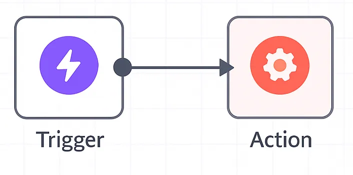
Every successful n8n workflow relies on three core elements: the Trigger node that starts the process, Action nodes that execute specific tasks, and Connections that guide data through your automation pipeline.
4. Real-World Example: Automating User Onboarding Like a Pro
Let's walk through a practical scenario that many developers face - streamlining user onboarding for your application:
Step 1 - A Webhook node catches the signal when someone new signs up through your API or frontend form.
Step 2 - An Airtable or Database node takes that fresh user data and creates a proper record in your users table.
Step 3 - An Email node grabs the user's email address from the previous step and fires off a personalized welcome message.
Step 4 - Here's where it gets interesting. A Switch or IF node examines the user's details (like their subscription level) and routes them accordingly:
- Premium users? Send their info to a Slack node so your sales team knows to roll out the red carpet.
- Basic plan users? Create a task in Trello so your support team can guide them through onboarding.
The beautiful part? You've just built a sophisticated onboarding system using visual components instead of writing separate integration code for each service.
5. Debugging Workflows: Your Developer Toolkit
Even the most elegant workflows can hit snags when dealing with unexpected data or service hiccups. Fortunately, n8n comes packed with debugging tools that make troubleshooting actually manageable:
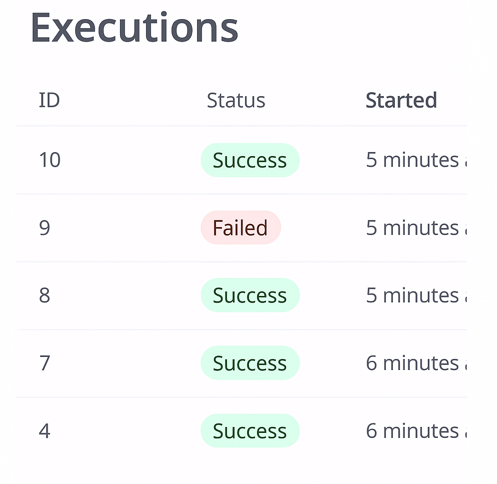
The Executions overview gives you a complete history of workflow runs, including their status and detailed timing information.
Your Execution History Dashboard: This feature is like having a detailed logbook for every workflow run. Each execution shows up with crucial details:
- Clear success or failure indicators.
- Precise start and finish timestamps.
- The game-changer: Complete input and output data for every single node in that execution run. This means you can trace exactly where things went sideways.
- A handy Rerun option that lets you fix the issue and try again without starting from scratch.
Debugging Tips for Developers:
- Build in Safety Nets: Use Error Trigger nodes to catch workflow failures and send immediate alerts via Slack or email. Never let automations fail silently.
- Debug During Development: Add Debug nodes or temporary Function nodes to inspect data at each workflow stage. This visibility helps you spot issues before they become problems.
- Test with Real Data: Run your workflows with realistic sample data before going live. This catches edge cases and unexpected data formats that could break your automation.
The goal here isn't just to build workflows that work once - it's to create reliable, maintainable automations that handle the messy realities of production environments. A little extra preparation during development saves you from those 3 AM debugging sessions later.
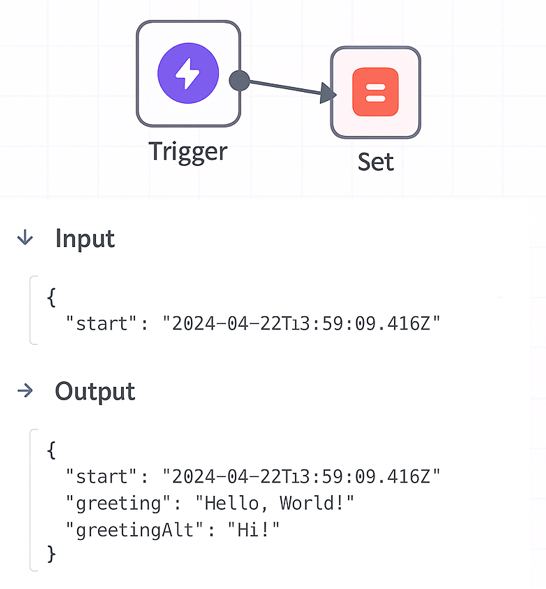
Inspecting a failed execution. You can click into each node to see the exact input data it received and the output data it produced.
4. Collaboration and Version Control
Your workflows aren't just handy automations - they often become essential parts of your infrastructure. That means they deserve the same careful treatment you'd give any important codebase.
- Exporting/Importing: One of n8n's smartest features is the ability to export workflows as clean JSON files. This isn't just convenient - it's strategic. You can create backups of your most important automations, share proven workflows with teammates across different projects, or seamlessly migrate your setups between different n8n environments.
- Version Control: Here's where things get really powerful - treat those exported JSON workflows exactly like you would any other code. Commit them to your Git repositories! This approach unlocks all the collaboration superpowers you're already used to: tracking every change over time, rolling back to previous versions when something breaks, and using familiar development workflows with branches and pull requests.
- Team Access: Whether you're running n8n.cloud or managing your own self-hosted setup with proper user management, you can bring your entire team into the automation game. Share workflow access strategically so everyone can contribute to and benefit from your growing automation library.
Best Practices for Team Development & Sharing:
- Document Your Workflows: n8n's built-in Notes feature isn't just nice to have - it's your secret weapon for sustainable workflow development. Add clear descriptions of what each workflow accomplishes, explain any tricky logic or data transformations, and document those node configurations that took you forever to get right.
Trust me, three months from now, when you need to modify something, you'll be incredibly grateful for these breadcrumbs. Your teammates will appreciate the clarity too, especially when they need to understand or extend your work.
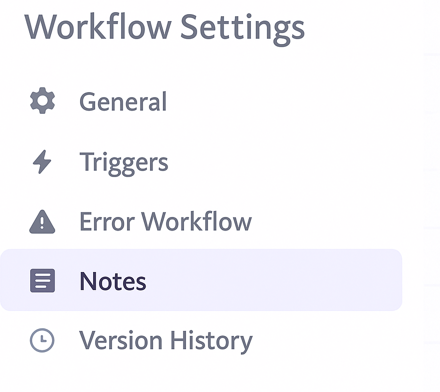
Use the built-in Notes feature to document your workflows for clarity and collaboration.
- Security First: Use Environment Variables: Never hardcode API keys, passwords, or database credentials directly in your nodes. Use environment variables instead and reference them with ={{ $env.<VARIABLE_NAME> }}. This keeps your workflows secure and prevents accidental credential exposure in version control.
5. Your First Few Steps: Quick Wins with n8n
Ready to get your hands dirty? Try building one of these simple, practical automations:
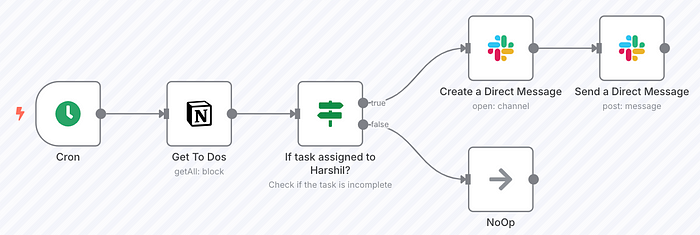
- Scheduled Notifications: Set up a Cron node for daily or weekly triggers, then connect it to Slack or Email nodes for automated status reports and reminders.
- Form to Spreadsheet: Link a Webhook node (or Google Forms node) directly to Google Sheets or Airtable to automatically log all form submissions.
- API Data Logger: Use HTTP Request nodes to grab data from APIs like weather services or public datasets. Connect to a Debug node to check the data or a File node to save it locally.
Wrapping Up: Why n8n Matters for Developers
n8n isn't about replacing your coding skills - it's about amplifying them. Focus your development time on solving complex problems instead of building basic integrations:
- Reclaim Your Time: Stop spending hours on repetitive manual tasks and let automation handle the boring stuff.
- Connect Everything Faster: Link your tools and services more reliably than writing custom integration scripts from scratch.
- Build for Growth: Create automations that scale naturally as your applications and team needs expand.
Your Next Steps:
Start with simple workflows, get comfortable with the visual editor, then gradually tackle more complex automations. The more you explore n8n, the more opportunities you'll spot for automation.
Think of it as your go-to tool for handling all the connectivity between your services - the digital duct tape that holds your tech stack together.
Ready to unlock automation and reclaim your time? Head over to n8n's documentation or pick a template to get started today!
Official Resources:
- n8n Documentation - Complete guides, API references, and best practices.
- n8n Community - Get help, share workflows, and connect with other users.
- Workflow Templates - Pre-built automations you can customize and deploy.
- n8n Academy - Step-by-step courses for mastering workflow automation.