Imagine having a smart, hyper-capable teammate in your product management toolkit, one who can instantly grasp complex information, work with text, images, videos, and code all at once, and automate tedious workflows while you focus on strategy.
That’s exactly what Google Gemini 3 offers.
This guide will teach you how to harness Gemini 3’s groundbreaking AI powers to not only get things done faster but to unlock entirely new ways of building and scaling products with intelligence that learns and plans alongside you.
Key Use Cases of Google Gemini 3
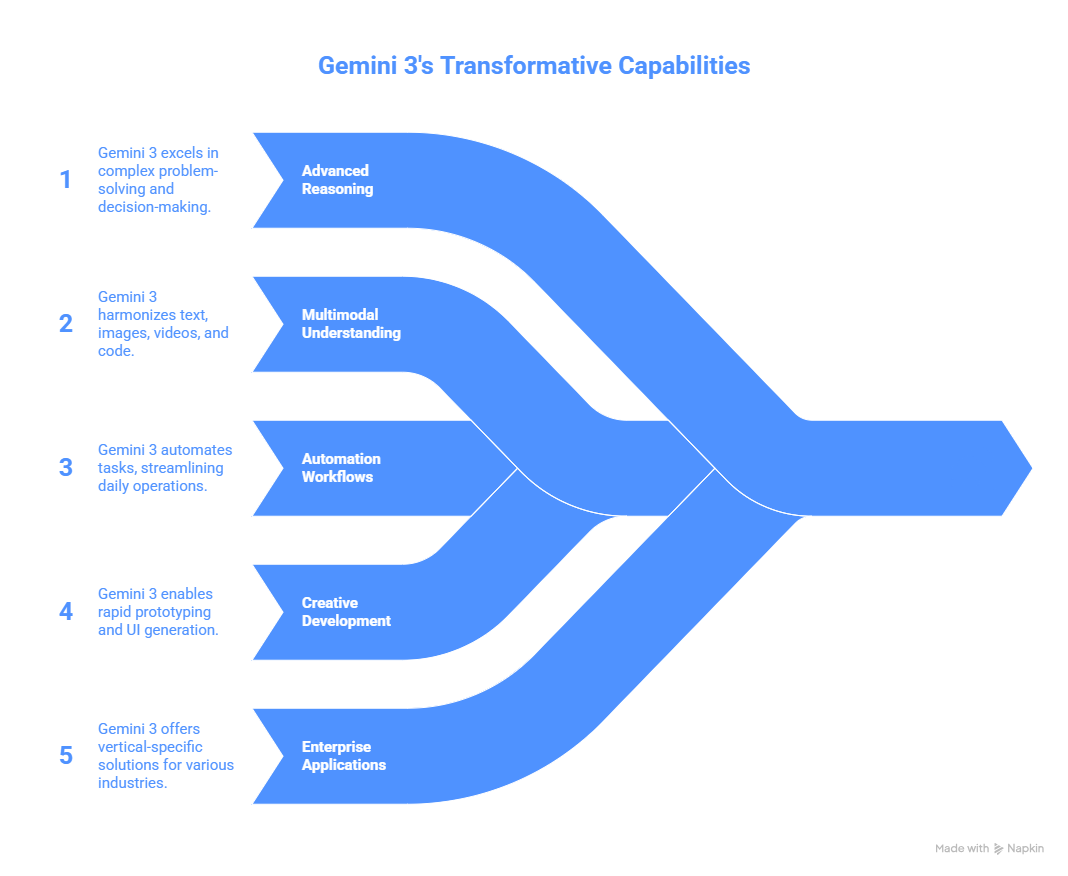
1. Advanced Reasoning & Deep Think Mode
- Gemini 3’s Deep Think mode provides state-of-the-art problem-solving by understanding intricate nuances and layered problems.
- Use it for complex decision-making, scenario analysis, and breaking down challenging tasks.
- Example: Analyzing research papers or technical documents to create summarized, easy-to-understand content.
2. Multimodal Content Understanding & Generation
- Uniquely strong at handling text, images, videos, and code in contextual harmony.
- Can generate interactive flashcards, visualizations, and code-based tools for learning and training.
- Example: Translate handwritten recipes or classroom lectures into structured, shareable digital content.
3. Automation & Agentic Workflows
- Gemini Agent, powered by Gemini 3, connects with Google Workspace apps (Gmail, Calendar, Drive, Tasks) to automate multi-step workflows.
- Examples include inbox management, scheduling, booking, and proactive task planning.
- This reduces manual effort, increases productivity, and streamlines everyday operations.
4. Creative & Application Development
- Gemini 3 Pro allows generating and editing images/text prompt-based UI and complex front-end prototypes.
- It supports faster prototyping and real-time generation of application interfaces from simple instructions.
- Example: Rapid prototyping of consumer apps centered around video/image understanding and immersive UI.
5. Enterprise Applications & Vertical-specific Potential
- Applicable to healthcare (analyzing X-rays), finance, legal, and operational diagnostics via multimodal reasoning.
- Helps in predictive maintenance by analyzing machine logs or generating metadata for media content.
Why Product Managers Should Care
- Multimodal Excellence: Ideal for products that rely on images, videos, and text for engagement.
- Google Ecosystem Integration: Provides low-friction adoption for organizations using Google workspace products.
- Cost-effective Scaling: Competitive pricing enables large-scale usage in cost-sensitive deployments.
- Long-term Vision: Builds on a roadmap expanding into real-time video, augmented reality (XR), 3D understanding, and domain-specific AI models.
- Role Impact: Improves workflows across teams — from engineering and design to marketing and operations — by automating routine and complex tasks effectively.
Practical Tips for PMs Using Gemini 3
- Match Gemini 3’s strengths to your product's key needs: multimodal inputs, deep reasoning challenges, or automation potential.
- Leverage agentic AI to build AI assistants that can independently plan and execute tasks within your product platform.
- Experiment with Gemini 3’s coding and prototyping features to shorten your development cycles.
- Monitor ongoing updates for vertical-specific models to cater to specialized industry compliance and performance requirements.
How to Use Google Gemini 3: A Hands-On Guide for Product Managers
Think of Google Gemini 3 not just as another AI tool but as a versatile ally in your product journey.
Here’s how to get started and make it a valuable skill in your toolkit:
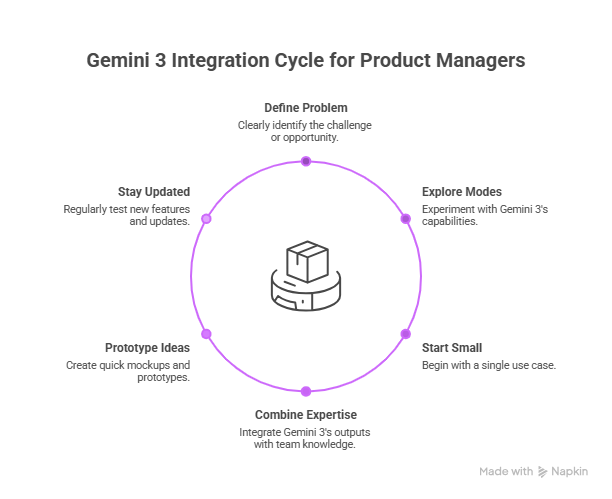
1. Understand What Problem You Want to Solve
Start by clearly defining the challenge or opportunity in your product where AI’s reasoning, multimodal insight, or automation can add value.
Whether it’s automating repetitive tasks, enhancing content generation, or boosting customer engagement, knowing your “why” is key.
2. Explore Gemini 3’s Modes and Abilities
Spend time experimenting with Gemini 3’s different modes:
- Text and Image Processing: Feed in documents, screenshots, or even videos and see how the model understands and summarizes content.
- Deep Reasoning: Use it for brainstorming and problem-solving sessions; ask Gemini 3 to analyze complex scenarios or data to unearth insights.
- Agentic Automation: Connect it with your Google Workspace, for example, automating email triage or managing calendars, to experience workflow automation hands-on.
3. Start Small, Build Gradually
Don’t try to automate everything at once.
Begin with one use case or task that eats up your time or slows down your team.
Use Gemini 3 to automate or assist with that, then assess the impact.
This iterative approach builds confidence and real value.
4. Combine Gemini 3 with Your Team’s Expertise
Think of Gemini 3 as a smart assistant, not a replacement.
Use its outputs as a starting point or inspiration.
Review, refine, and contextualize what it generates with your domain knowledge so the results align perfectly with your product goals.
5. Leverage Prototyping to Validate Ideas Fast
Use Gemini 3’s capabilities to create quick mockups, content prototypes, or workflow examples.
This helps in stakeholder communication and rapid iteration, essential skills for product managers in fast-paced environments.
6. Stay Updated and Experiment Often
Google Gemini 3 evolves rapidly, especially with vertical-specific updates and new multimodal features.
Make it a habit to test new capabilities and tools regularly to stay ahead.
Final Thoughts: From Tool Adoption to Product Advantage
Google Gemini 3 isn’t just another AI feature to experiment with, it’s a shift in how products can be conceived, built, and scaled.
For product managers, the real advantage doesn’t come from knowing that Gemini 3 exists, but from understanding where and how it can meaningfully amplify product thinking.
The PMs who will stand out in the coming years are those who treat AI as a collaborator in discovery, decision-making, and execution.
Gemini 3 enables that by combining deep reasoning, multimodal understanding, and agentic automation into a single, extensible platform.
Start small. Apply it to one workflow, one prototype, or one hard problem your team keeps circling back to. Learn its strengths, validate its impact, and expand deliberately.
Over time, Gemini 3 stops being an experiment and becomes part of how your product organization operates.
In a world where speed, intelligence, and adaptability define product success, mastering tools like Gemini 3 isn’t optional, it’s a competitive edge.
The sooner you begin building with it, the sooner your products start thinking ahead with you.