


What is Prompt?
For an LLM, a prompt is an instruction. You have used prompts if you have dealt with an LLM such as ChatGPT. An answer to a prompt should ideally be accurate, sufficient in both form and content, and of the appropriate length.
In essence, prompting is encapsulating your intention in a natural language query that will elicit the desired response from the model.
You don’t need to be a data scientist or a machine learning engineer – everyone can write a prompt.
What is Prompt Engineering?
Prompt engineering is the practice of designing effective inputs or queries to guide AI models like ChatGPT in generating relevant, accurate, and context-specific responses. It’s about asking the right question in the right way to get the best possible output from the AI.
Why is Prompt Engineering important for Product Managers?
In 2025, with the market flooded by generative AI tools, prompt engineering is no longer a “nice-to-have” — it’s a must-have skill for product managers. As AI becomes embedded in every stage of the product lifecycle, prompting effectively has become the new interface for interacting with powerful models.
For PMs, prompt engineering is a game-changer — enabling them to extract AI-driven insights in seconds. Whether it’s analyzing vast amounts of user feedback, generating new feature ideas, benchmarking competitors, or spotting emerging trends, well-crafted prompts can drastically accelerate research, ideation, and strategic decision-making.
Simply put, it allows product managers to work smarter, not harder — tapping into AI’s full potential with precision. As the landscape shifts, those who master prompting will lead the next wave of innovation.
Types of Prompting Techniques:-
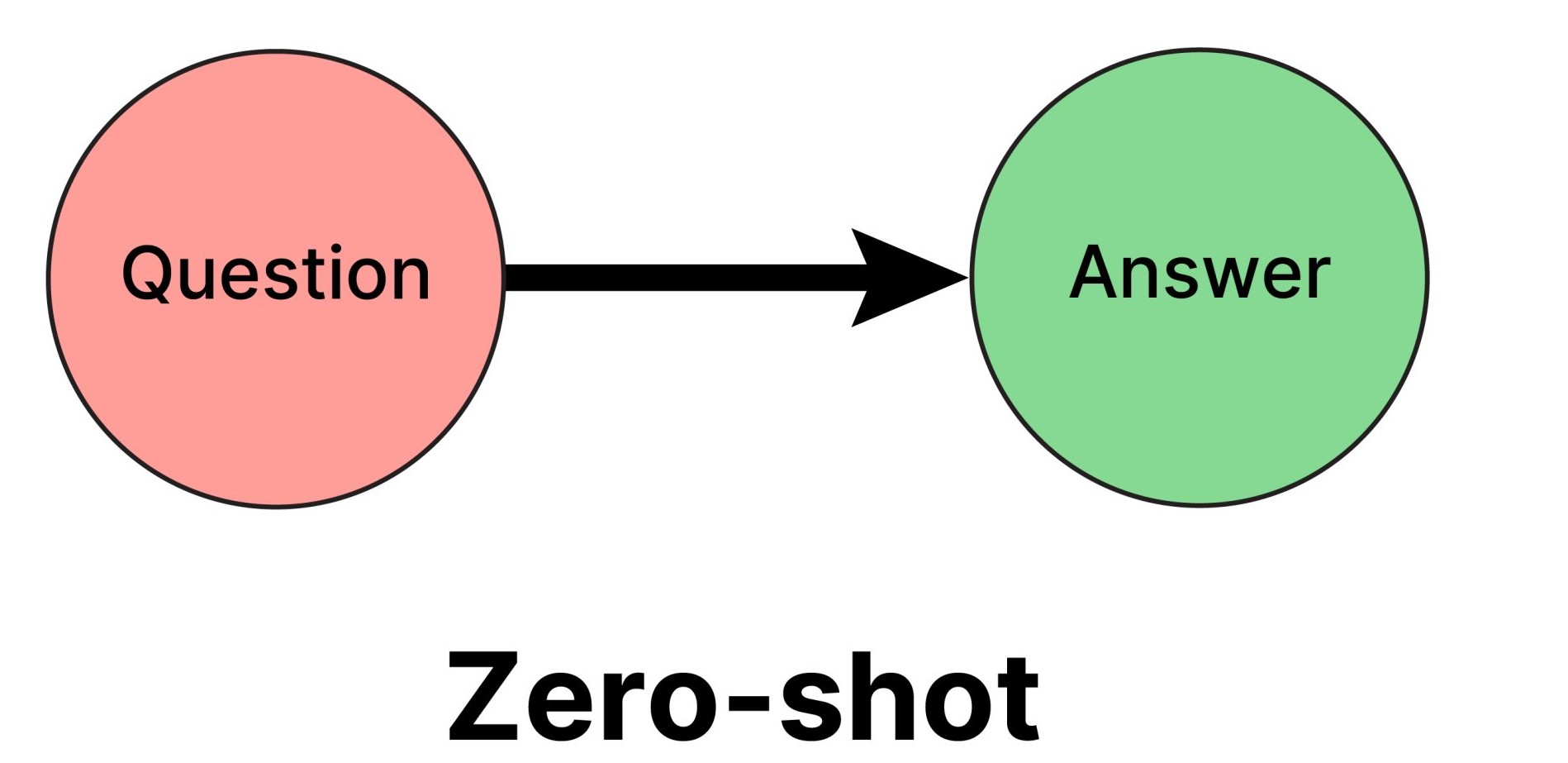
1. Zero-shot Prompting
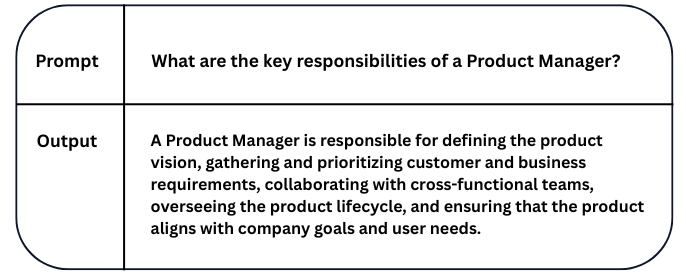
Zero-shot prompting involves giving the model a task without any prior examples. You simply ask a question or give a command, and the model uses its general knowledge to respond. For example, if you say “Translate this sentence into Spanish,” the model will attempt the task based solely on its training, without any demonstration. This method is fast and easy for simple or well-understood tasks but might produce vague or inconsistent results for more complex prompts.
Example:-
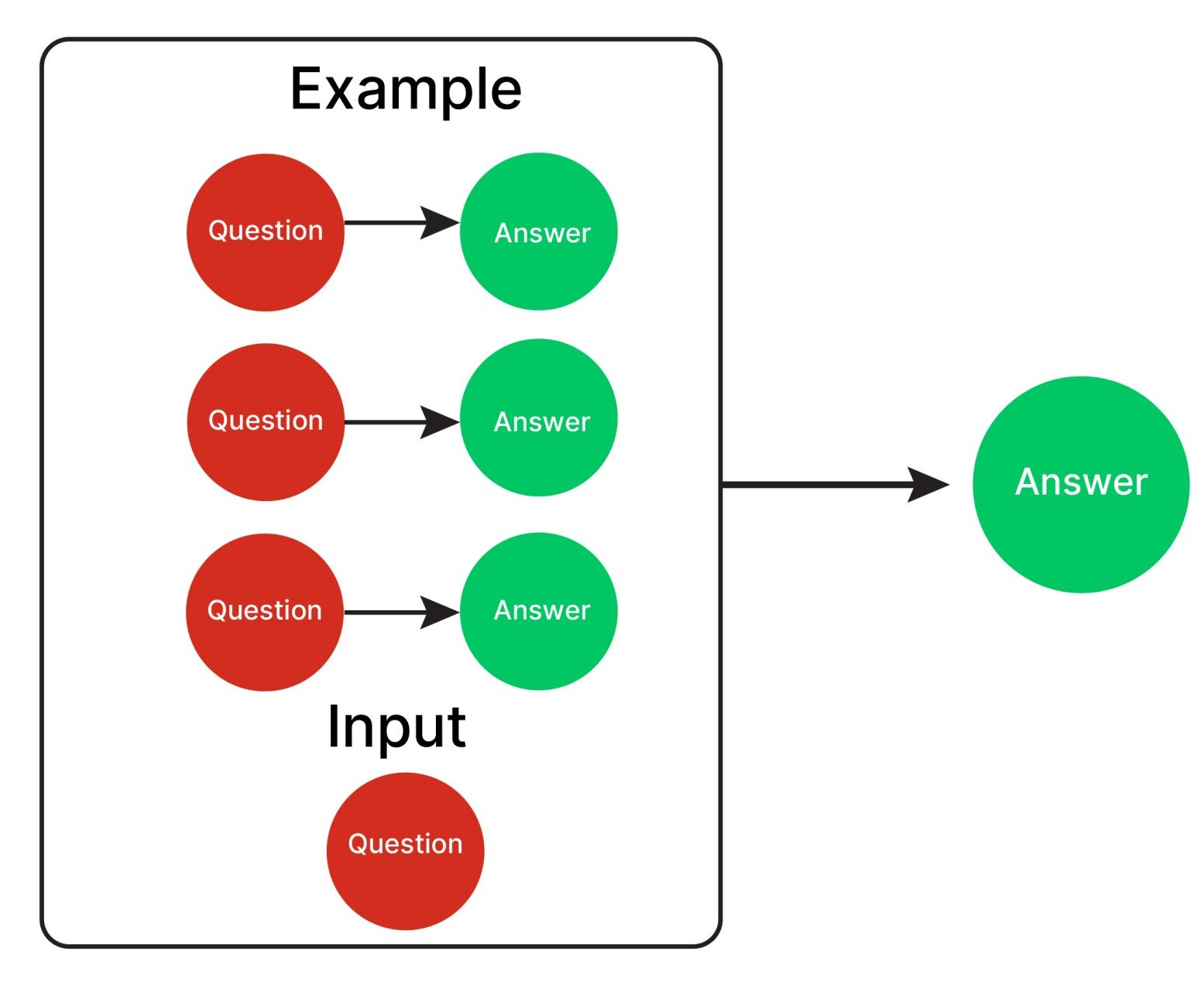
2. Few-shot Prompting
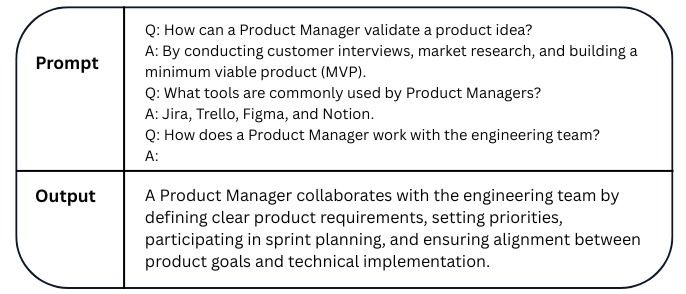
Few-shot prompting improves upon zero-shot by including a few examples before asking the model to complete a new task. For instance, you might provide three English-to-French translations before asking the model to translate a fourth sentence. This helps guide the model in terms of structure, tone, and format, making it especially useful for tasks that require consistency or creativity. It’s a go-to technique when you want better accuracy but don’t want to fine-tune the model.
Example:-
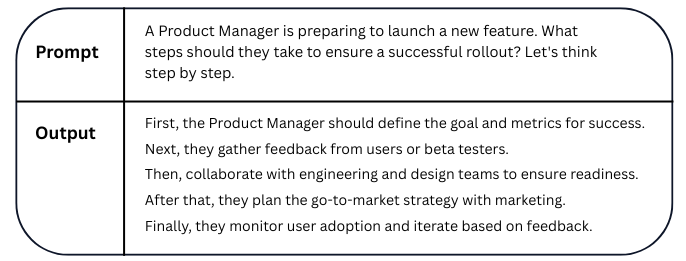
3. Chain-of-Thought Prompting
Chain-of-Thought (CoT) prompting encourages the model to explain its reasoning before arriving at an answer. This is particularly helpful for logical problems, math questions, or multi-step tasks. For example, instead of just asking “What is 45 divided by 5?” you can say “Think step by step” or “Explain how you got the answer.” This technique not only improves the accuracy of the output but also makes the model’s logic transparent and understandable.
Example:-
4. Role-based Prompting
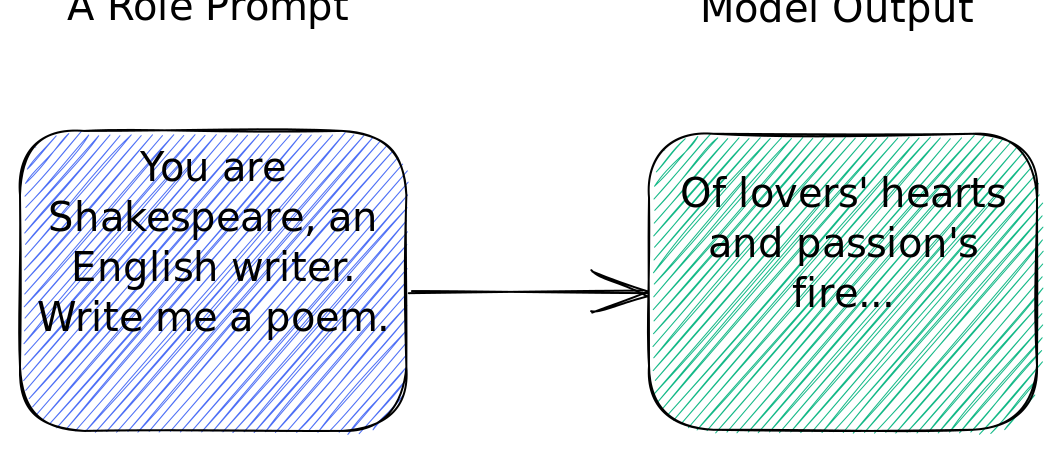
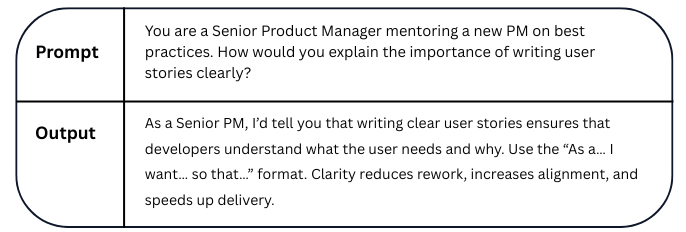
Role-based prompting is a method where you assign the model a specific role or identity to guide its behavior. For example, starting your prompt with “You are a career coach” or “Act as a software engineer” can help the model produce more domain-specific and contextually appropriate responses. This technique is very useful in professional, creative, or consultative scenarios where tone, language, and expertise matter.
Example:-
5. Contextual Prompting
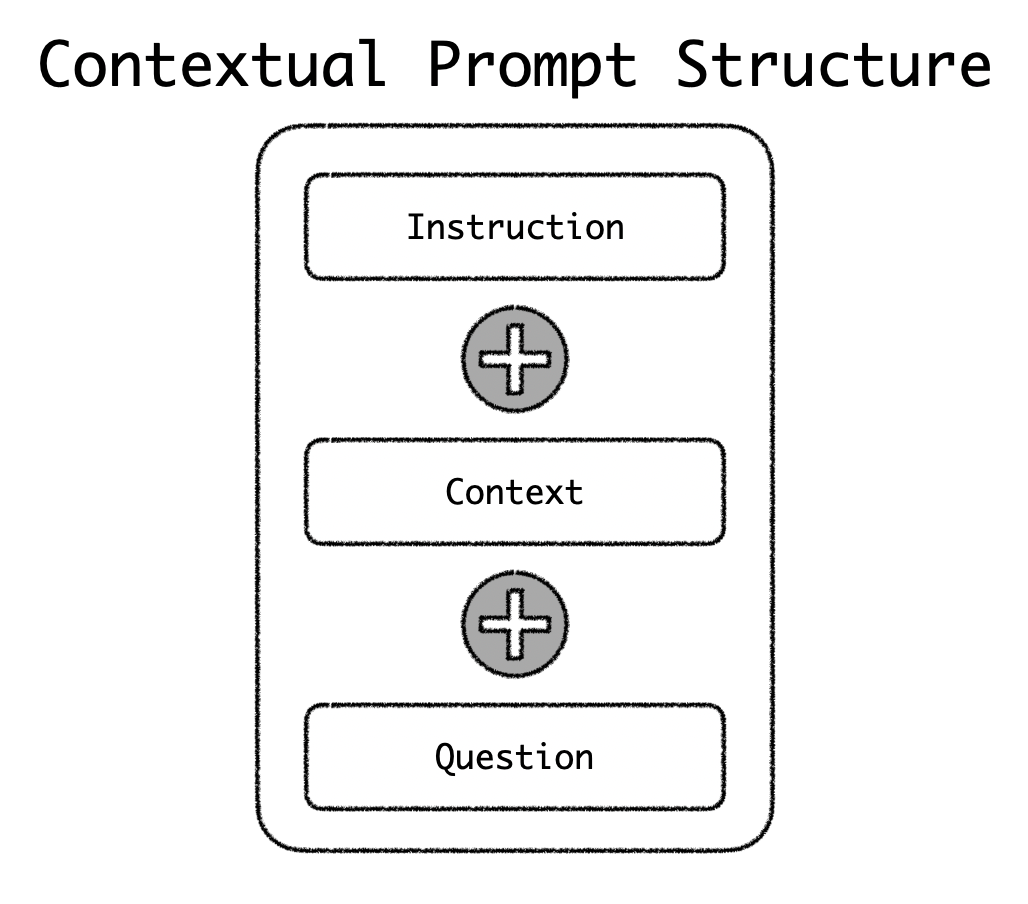
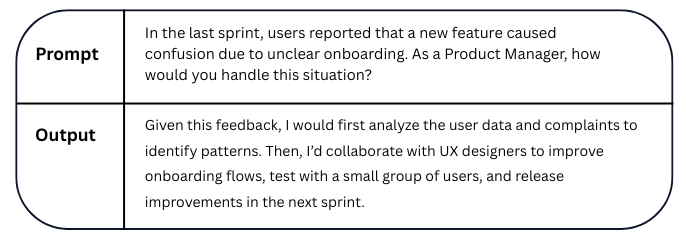
Contextual prompting involves providing the AI with relevant background information or conversation history to help it generate more accurate and coherent responses. Instead of giving isolated instructions, you build context around the task—like user preferences, previous messages, or detailed scenarios—so the model understands the situation better. This technique improves relevance, continuity, and personalization in responses.
Example:-
6. Step-back Prompting
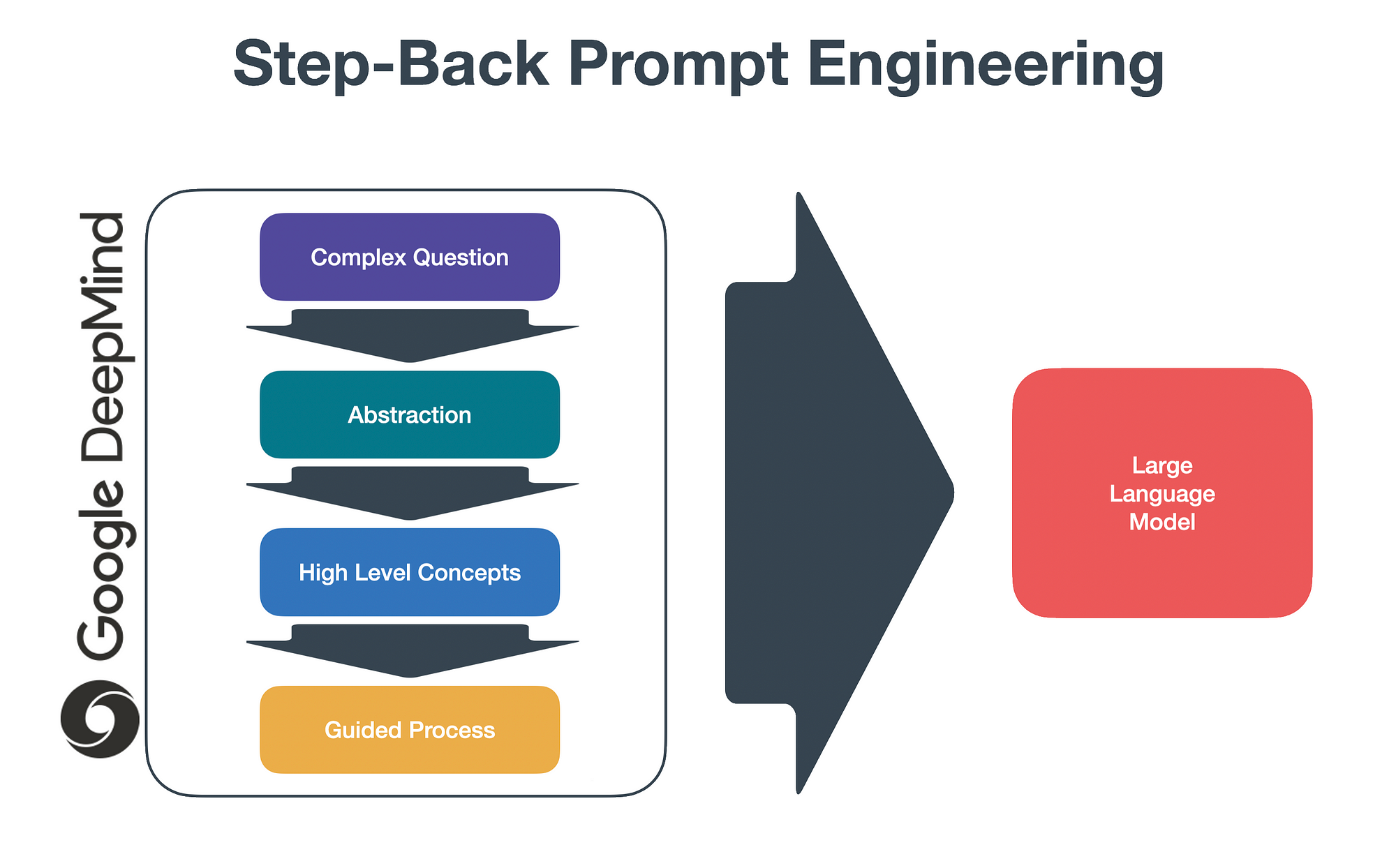
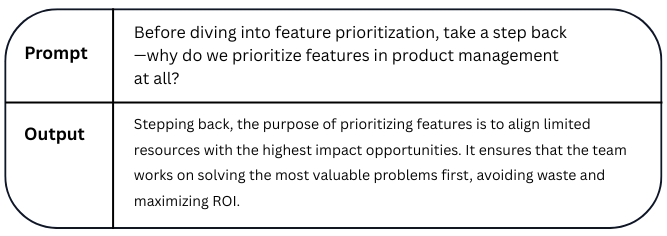
Step-back prompting is a technique where the model is asked to pause and reflect on the problem before solving it. Instead of jumping directly to an answer, the prompt encourages the model to take a broader view, analyze the question, or reframe it. This helps in improving reasoning, especially for complex or abstract tasks, by promoting deeper thinking before reaching a conclusion.
Example:-
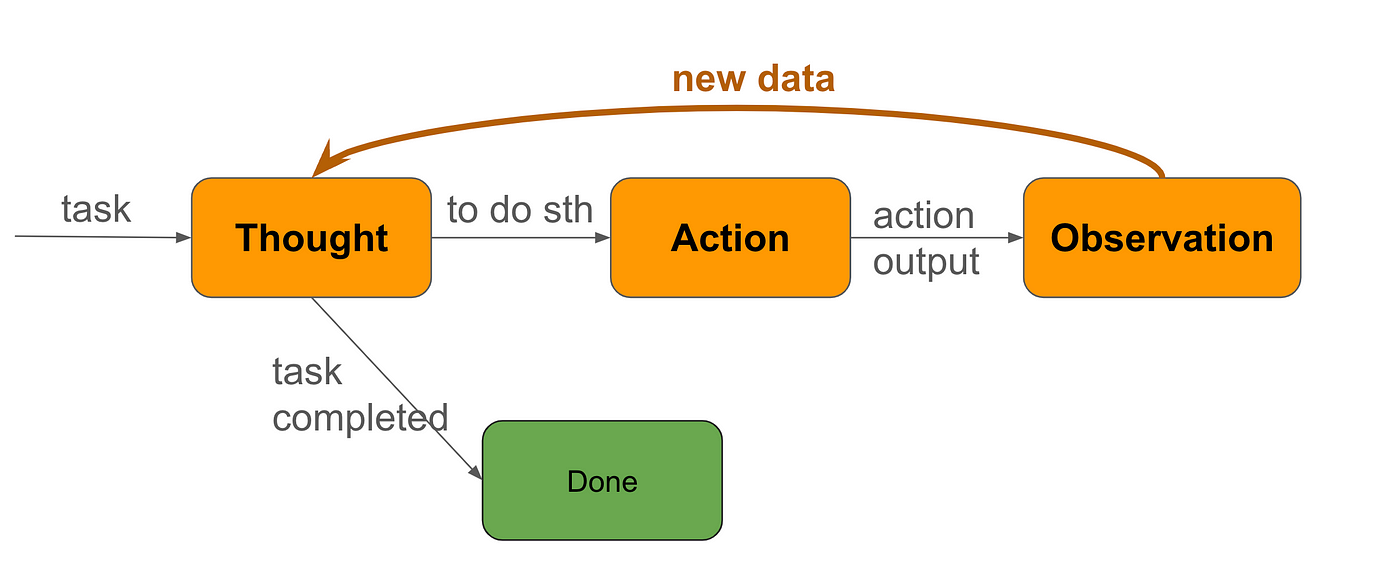
7. ReAct Prompting
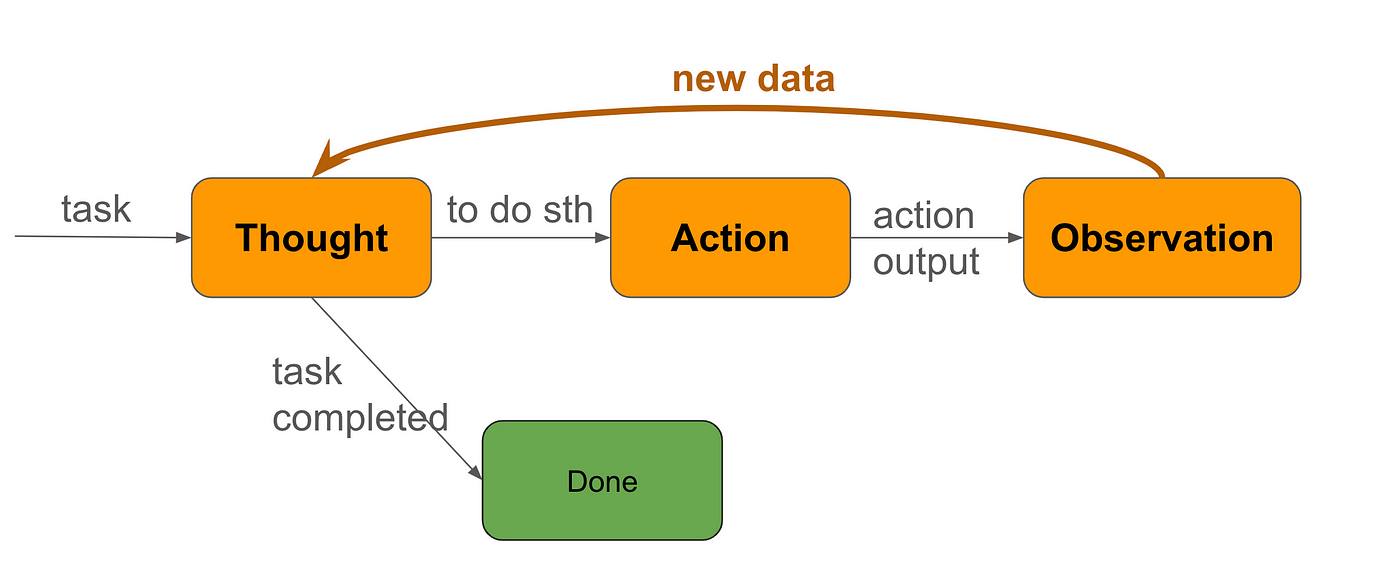
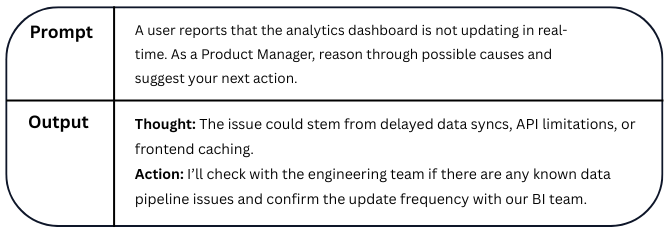
ReAct Prompting (Reason + Act) is a technique where the model is guided to first reason through a problem step-by-step and then take an action based on that reasoning. It's often used in tool-using agents, where the model thinks (e.g., analyzing a query) and then acts (e.g., making a search, calculation, or decision). This approach improves decision-making and allows for dynamic interaction with tools or environments.
Example:-
What is Multi-Model Prompting?
The standard large language approach is still used when prompting for code. Although it is a different topic, multimodal prompting is a method that involves using more than just text to steer a big language model. This can involve textual combinations,
Depending on the model's capabilities and the work at hand, these could be code, photos, audio, or even other formats.
Best Practices of Prompting
To craft effective prompts, be clear, specific, and goal-oriented. Always define the role (e.g., “Act as a Product Manager”) to set context, and use instructions like “think step by step” for deeper reasoning. When needed, add examples to guide the model’s style or tone (few-shot prompting), and use structured formatting (bullets, tables) to improve readability. Avoid vague requests—precision leads to better responses. Finally, iterate and refine your prompts to test what yields the most relevant and insightful outputs.
Examples:-
Note: the "{text input here}" is a placeholder for actual text/context
1. Use the latest model
For best results, we generally recommend using the latest, most capable models. Newer models tend to be easier to prompt engineer.
2. Put instructions at the beginning of the prompt and use ### or """ to separate the instruction and context
Less effective ❌:
Summarize the text below as a bullet point list of the most important points.
{text input here}
Better ✅:
Summarize the text below as a bullet point list of the most important points.
Text: """
{text input here}
"""
3. Be specific, descriptive and as detailed as possible about the desired context, outcome, length, format, style, etc
Be specific about the context, outcome, length, format, style, etc
Less effective ❌:
Write a poem about OpenAI.
Better ✅:
Write a short inspiring poem about OpenAI, focusing on the recent DALL-E product launch (DALL-E is a text to image ML model) in the style of a {famous poet}
4. Articulate the desired output format through examples
Less effective ❌:
Extract the entities mentioned in the text below. Extract the following 4 entity types: company names, people names, specific topics and themes.
Text: {text}
Show, and tell - the models respond better when shown specific format requirements. This also makes it easier to programmatically parse out multiple outputs reliably.
Better ✅:
Extract the important entities mentioned in the text below. First extract all company names, then extract all people names, then extract specific topics which fit the content and finally extract general overarching themes
Desired format:
Company names: <comma_separated_list_of_company_names>
People names: -||-
Specific topics: -||-
General themes: -||-
Text: {text}
5. Start with zero-shot, then few-shot, neither of them worked, then fine-tune
✅ Zero-shot:
Extract keywords from the below text.
Text: {text}
Keywords:
✅ Few-shot - provide a couple of examples
Extract keywords from the corresponding texts below.
Text 1: Stripe provides APIs that web developers can use to integrate payment processing into their websites and mobile applications.
Keywords 1: Stripe, payment processing, APIs, web developers, websites, mobile applications
Text 2: OpenAI has trained cutting-edge language models that are very good at understanding and generating text. Our API provides access to these models and can be used to solve virtually any task that involves processing language.
Keywords 2: OpenAI, language models, text processing, API.
Text 3: {text}
Keywords 3:
6. Reduce “fluffy” and imprecise descriptions
Less effective ❌:
The description for this product should be fairly short, a few sentences only, and not too much more.
Better ✅:
Use a 3 to 5 sentence paragraph to describe this product.
7. Instead of just saying what not to do, say what to do instead
Less effective ❌:
The following is a conversation between an Agent and a Customer. DO NOT ASK USERNAME OR PASSWORD. DO NOT REPEAT.
Customer: I can’t log in to my account.
Agent:
Better ✅:
The following is a conversation between an Agent and a Customer. The agent will attempt to diagnose the problem and suggest a solution, whilst refraining from asking any questions related to PII. Instead of asking for PII, such as username or password, refer the user to the help article www.samplewebsite.com/help/faq
Customer: I can’t log in to my account.
Agent:
8. Code Generation Specific - Use “leading words” to nudge the model toward a particular pattern
Less effective ❌:
# Write a simple python function that
# 1. Ask me for a number in mile
# 2. It converts miles to kilometers
In this code example below, adding “import” hints to the model that it should start writing in Python. (Similarly “SELECT” is a good hint for the start of a SQL statement.)
Better ✅:
# Write a simple python function that
# 1. Ask me for a number in mile
# 2. It converts miles to kilometers
import
Parameters
Generally, we find that model and temperature are the most commonly used parameters to alter the model output.
- model - Higher performance models are generally more expensive and may have higher latency.
- temperature - A measure of how often the model outputs a less likely token. The higher the temperature, the more random (and usually creative) the output. This, however, is not the same as “truthfulness”. For most factual use cases such as data extraction, and truthful Q&A, the temperature of 0 is best.
- max_tokens (maximum length) - Does not control the length of the output, but a hard cutoff limit for token generation. Ideally you won’t hit this limit often, as your model will stop either when it thinks it’s finished, or when it hits a stop sequence you defined.
- stop (stop sequences) - A set of characters (tokens) that, when generated, will cause the text generation to stop.
Leveling up your Prompt Writing
This guide is meant to serve as inspiration, and the possibilities are nearly endless when working with Large Language Models (LLMs). Build on your prompt-writing skills using these tips to unlock their full potential across tools like Gemini, ChatGPT, and more.
- Break it up: For better results, break related tasks into separate prompts, whether you're using Gemini, ChatGPT, or any other LLM.
- Give Constraints: To generate specific results, include details in your prompt such as character count limits or the number of options you’d like to generate.
- Assign a Role: To encourage creativity, assign a role. You can do this by starting your prompt with language like: “You are the head of a creative department for a leading advertising agency …”
- Ask for Feedback: In your conversation with Large Language Models (LLMs), tell it that you’re giving it a project, include all the relevant details, and then describe the output you want. Continue the conversation by asking questions like, “What questions do you have for me that would help you provide the best output?”
- Consider Tone: Tailor your prompts to suit your intended audience. Ask for outputs to have a specific tone, such as formal, informal, technical, creative, or casual.
- Say it another way: Fine-tune your prompts if the results don’t meet your expectations or if you believe there’s room for improvement. An iterative process of review and refinement often yields better results.
Dos and Don’ts for Writing Good AI Prompts
Do's
- Be Clear and Specific: Clearly state the output you would like the AI to produce. Include any relevant information, including the email's goal, tone, target audience, and any special points or facts that must be mentioned.
- Use Concise Language: Make sure your prompts are succinct and direct. Steer clear of superfluous words and convoluted statements that could confound the AI.
- Provide Context: Provide enough background information for the AI to comprehend the email's goal and target audience. This makes the generated copy more appropriate and relevant.
- Include Keywords: To help the AI create accurate and pertinent text, include keywords that are pertinent to the subject of your email.
- Give Examples: Give examples of the tone or style you want to achieve, if at all possible. This makes it easier for the AI to comprehend your expectations and generate more pertinent results.
Don'ts
- Avoid Ambiguity: Make sure your prompts are unambiguous and clear. The AI may respond with ambiguous or poorly defined prompts that are off-topic or irrelevant.
- Don't Overload with Information: Although context is crucial, don't overburden the AI with specifics. Remain focused on the information that is absolutely necessary for efficient generation.
- Avoid Biased Language: Watch out for bias in your prompts, particularly when dealing with delicate subjects or a wide range of audiences. Don't assume anything about the email's recipients; instead, use inclusive wording.
- Don't Micromanage: Giving direction is crucial, but don't micromanage the AI by dictating every word or phrase. Have faith in the AI's capacity to produce original and pertinent content in response to your instructions.
- Steer Clear of Complex Instructions: Make sure your prompts are clear and easy to understand. Steer clear of requests or instructions that are too complicated as this could confuse the AI and produce poor quality results.
You can successfully direct the AI to produce excellent email text that satisfies your goals and connects with your audience by adhering to these dos and don'ts.


.png&w=1200&q=75)